Step 1 / 13

Campaign Objective

Choose your campaign objective to help us optimize your ad delivery.

Campaign Details

0/200

This name is only for your reference to remember and distinguish this campaign from others. It won't be shown to listeners.

Important: All campaign communications will be sent to this email address, including invoices, performance reports, optimization recommendations, and approval requests. Please ensure this is a valid and actively monitored email.

If you have a promo code, enter it here to receive a 5% discount on your campaign.

Ad Category

Location

Add specific cities or districts to narrow your audience reach, or skip this field to reach listeners across the entire selected country.

Demographic

Format and Placement

Audio Ads

Audio ads played between songs are the most effective way to reach listeners without distraction.

  • 15-30 second ad durations
  • Broadcast on all devices
  • Clickable companion banner
  • Non-skippable format
  • High recall rate

Delivery Goal

Budget and Schedule

$
$

Set a maximum daily spending limit for your campaign

Estimated Results

Approximate
Impressions 100,000 - 142,800
Reach 55,500 - 79,300
CPM $3.50 - $5.00

Estimates based on current market averages. Actual results may vary depending on targeting, competition, and market conditions. These figures are not guaranteed.

Budget Breakdown

Total Budget: $500.00
Agency Production Fee (20%): -$100.00
Ad Budget (Spotify): $400.00
TL Equivalent TCMB: Loading...

Exchange rate: - (TCMB)

Secure payment via Stripe

Ad Details

0/200

Name your ad. You'll see this name in your creative library and reports.

0/25
0/40

Select the action you want listeners to take.

How to get your song link: Open Spotify > Go to your song > Click "Share" > Click "Copy link to song"

Example: https://open.spotify.com/intl-tr/track/4iV5W9uYEdYUVa79Axb7Rh

How to get your artist profile link: Open Spotify > Go to your artist page > Click "Share" > Click "Copy link to artist"

Example: https://open.spotify.com/artist/6eUKZXaKkcviH0Ku9w2n3V

Companion Visuals

Add a square logo image

📷 Upload file

Format: .JPEG or .PNG   Minimum size: 600×600 pixels

Add a square companion image

📷 Upload file

Format: .JPEG or .PNG   Minimum size: 600×600 pixels

Canvas (optional)

Add a full-screen image or looping visual.

Get noticed with a Canvas

Now you can include a full-screen image or looping visual with your audio ads on mobile phones. Canvas visuals can help increase clicks and create a more engaging ad experience.

🖼️ Upload file
📋 File Specifications
Format .JPEG, .PNG, .MOV, .MP4
Ratio 9:16 (Portrait)
Minimum Size 720 x 1280 pixels
Loop Length 3 - 8 seconds

Audio

Write the text to be read by our professional voice.

Example Script:

"My new song 'Love Song' is now on Spotify. Click to listen now!"

⚠️ Important: Total audio duration (voiceover + music) must be maximum 30 seconds.

Format: Stereo, 44100 Hz quality required.

Song Upload

🎶 Upload Song

Format: MP3, WAV, OGG

Summary

💳

Payment Summary

Campaign Budget $500.00
Total Amount $500.00

Secure payment processed by Stripe

Payment Successful!

Your campaign has been submitted and payment received. We will contact you shortly.

Campaign ID

Please save this ID. You can use it to get support regarding your campaign.

📧

For any questions or support, please contact us at:

info@digitalent.music

Preview

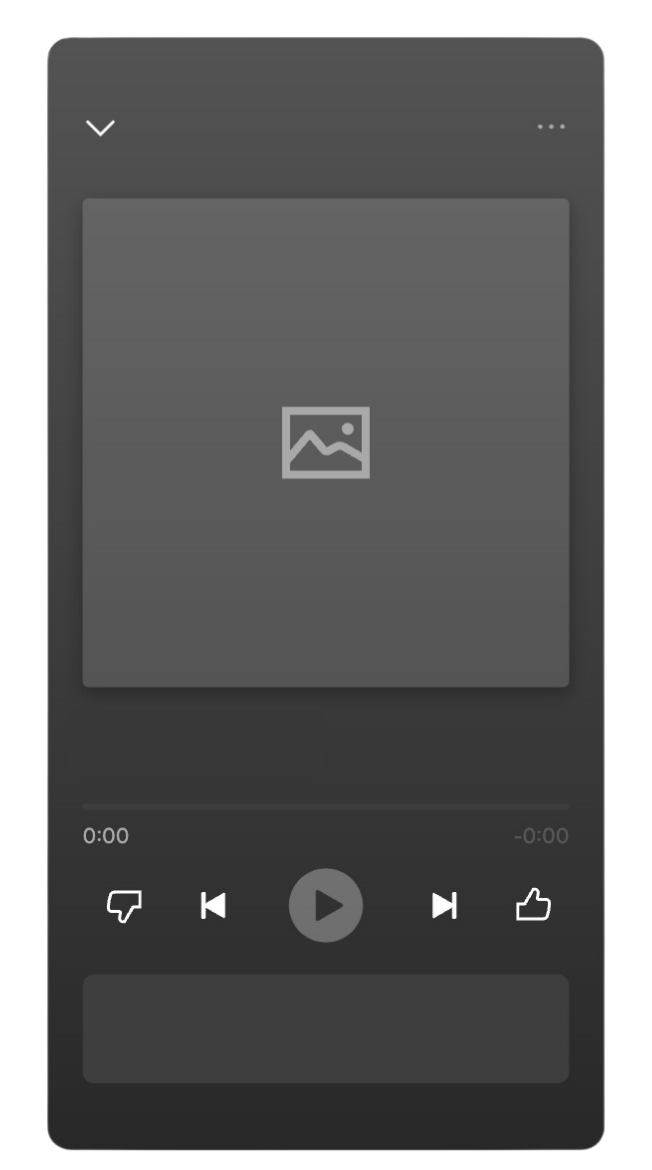
Ad Preview
Advertiser Name
Advertiser Name
Advertisement • 1 of 1
Headline
Listen now

Canvas for ads

Tell more of your story on mobile devices with a Canvas, a full-screen (9:16) image or short looping visual.

How Canvas shows up

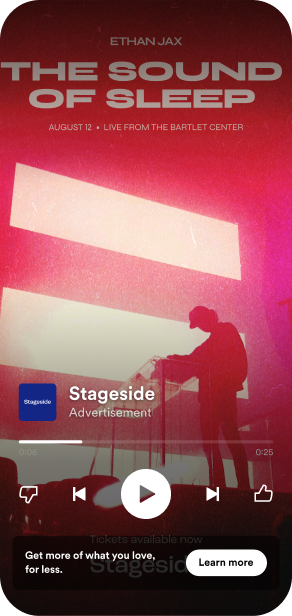
Canvas visuals completely fill the background of the Now Playing screen on mobile devices.

Why Canvas is optional

Canvas visuals only serve on mobile devices right now, so a square companion image is still required. The square image will appear when your ad is served on desktop devices or if the Spotify app is out of focus (for example, on a locked phone screen).

Canvas Example

Tell more of your story on mobile devices with a Canvas, a full-screen (9:16) image or short looping visual.

Best practices

  • Use high-contrast visuals that stand out
  • Keep text minimal and legible
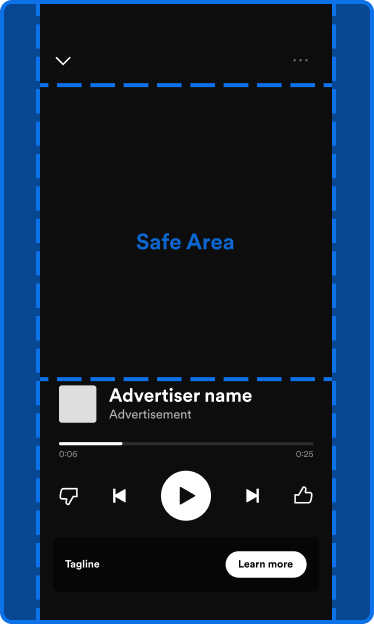
  • Ensure your branding is visible in the safe area
  • For videos, create seamless loops
  • Avoid placing important content near edges

What works well

  • Album artwork or promotional imagery
  • Simple animations or motion graphics
  • Behind-the-scenes content
  • Lyric videos or visualizers
Canvas Tips

Tell more of your story on mobile devices with a Canvas, a full-screen (9:16) image or short looping visual.

File specifications

  • Ratio: 9:16
  • Height: At least 1280px
  • Length: 3 - 8 seconds
  • File format: .MOV, .MP4, .PNG or .JPG

Mind the hidden and safe areas

Anything inside the "safe area" of the screen will be visible to all listeners. Player controls will partially obstruct your Canvas at the top and bottom of the screen.

Canvas Specs